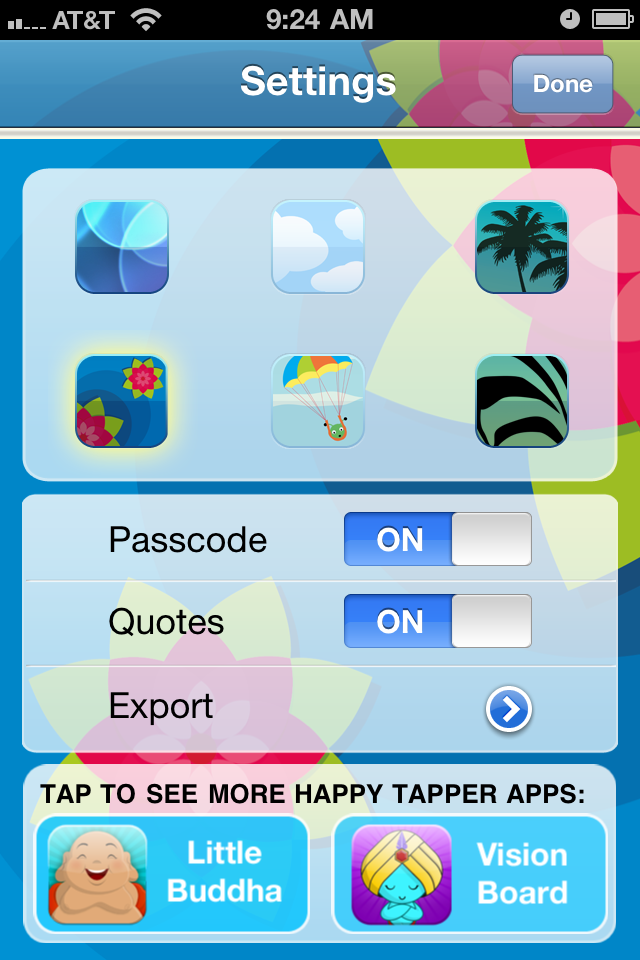
I saw this online yesterday and just wanted to share it with you all. As you know, I promote the use of technology in helping us to lose weight, and if you're losing weight by becoming more of a vegetarian or if you're a budding Buddhist who's turning to a vegetarian lifestyle these apps might help out some.
Let me know if you have any successes with any of these you'd like to share!
Thanks!
Showing posts with label Apps. Show all posts
Tuesday, November 22, 2011
Wednesday, March 16, 2011
Savor: Mindul Eating, Mindful Living is Now In Paperback!
I saw a post on the SavorTheBook blog that they have released the paperback version of the book and they are celebrating by giving it away for *FREE*!
Anyone who reads here regularly probably knows that, while I use a variety of technology (iPhone, iPad, various apps, books and more) to assist with my weight loss and lifestyle changes, "Savor" is the foundation of my entire plan. I aslo credit "Savor" as being the root of my success. All the other tools are great and incredibly useful in their own ways, but without the day-to-day mindfulness techniques I learned in "Savor" I would not have been able to lose the weight. I am thoroughly convinced of this.
Anyhow, if you want to check it out and give it a try for yourself click on the links in this post to go to their page and enter to win your *FREE* copy! They are entering everyone who joins the Savor Community today, to win a free copy. You can also "like" their post on FaceBook for a chance to win.
You can find them on FaceBook (SavorTheBook) or Twitter ( @SAVOR_the_book ).
I hope you'll check them out. It's great stuff!
Regards,
MS
Anyone who reads here regularly probably knows that, while I use a variety of technology (iPhone, iPad, various apps, books and more) to assist with my weight loss and lifestyle changes, "Savor" is the foundation of my entire plan. I aslo credit "Savor" as being the root of my success. All the other tools are great and incredibly useful in their own ways, but without the day-to-day mindfulness techniques I learned in "Savor" I would not have been able to lose the weight. I am thoroughly convinced of this.
Anyhow, if you want to check it out and give it a try for yourself click on the links in this post to go to their page and enter to win your *FREE* copy! They are entering everyone who joins the Savor Community today, to win a free copy. You can also "like" their post on FaceBook for a chance to win.
You can find them on FaceBook (SavorTheBook) or Twitter ( @SAVOR_the_book ).
I hope you'll check them out. It's great stuff!
Regards,
MS
Tuesday, December 7, 2010
APP REVIEW (UPDATE): Meditate - Meditation Timer by SimpleTouch Software
A while back I wrote a review on Meditate - Meditation Timer by SimpleTouch. You can find that review here, but just recently they released an update for the app.
Since my initial review was so glowing, I was very concerned when I saw the added functionality of the app. The App Store page showed that it had new timers, new bell tones, in-app purchases, and more. I immediately feared that they had tried to reach beyond the simplicity of the single purpose app and in so doing feared that they had destroyed it's perfection.
I couldn't have been more wrong!
If there was anything at all wrong with the original, MondoSamu readers seemed to think it was the lack of bell sound variations. For me this wasn't an issue as I very much enjoyed the high, clear Tingshas tone that the app used. A few people said they preferred lower, richer tones. I can certainly understand, but felt it was a minor flaw, if one at all.
However, that is precisely one of the things that SimpleTouch has overcome with the release of the update. Basically, the app still works flawlessly and amazingly as it did before, but they found a nice, subtle way to include the new functionality.
As before, when you tap on the app, you get the main interface (used to be the only interface) for executing your meditation. You have the "Meditation" duration at the top with that button highlighted, the "Preperation", Interval, Cool Down and plus/minus buttons as well as the "Meditate" button that starts the timer. What's different is that you now have a tiny grid, remarkable only for it's subtlety, in the bottom left corner. Thoughtfully, this grid represents which of the four presets you are using. If you tap that grid, the screen recedes to the back, while four buttons merge to the front. This new screen is called "Meditation Presets".


Beneath the "Meditation Presets" header, are four buttons. Meditation 1-4. At the bottom of each button is a duration for that meditation. You can tap on any one of these to get the main interface again, but if you tap and hold on one of the buttons you get a screen that slides up to reveal the settings for that preset timer. It saves them on the fly.
What this does for you is allow you to have different meditations that you use for different times throughout your day. Perhaps, like me, you only have time for a 15 minute meditation in the morning (you can rename this to "Mornings"). If so, then just tap that button and the timer for that meditation comes up. Or maybe at lunch you grab a quick 30 minute meditation…there's a button for that as well. The very meaningful and thoughtful way that SimpleTouch achieved this fairly complex amount of control is by having you tap and hold on whichever of the preset buttons you want to tweak. Once you do this, a screen slides up to reveal the controls for that meditation.
From here you can change the name of the meditation, turn on-off the vibrate, set the sounds on or off, configure your various bells AND this is where you get to set the bell tones. You tap on those and another sliding screen appears with options for how many chimes, which tone (where you can also download tones in-app to suit all your tonal needs) and - and this is another minor thing they have addressed from the original version - you can set the bell to SILENCE!
I had received a couple of comments that people found the bell DURING meditation to be distracting and didn't really see the point. For me, it's great because I have one sound at 5 minutes and use that first five minutes to still my mind, then when it sounds I slide deeper in to my meditation. But, some wanted silence, and now that is a choice!
Anyhow, this is an astonishing amount of control that - while I didn't think it was necessary - SimpleTouch found a way to incorporate all of this intricate detail while still keeping "Meditate" VERY simple, elegant and agile!
I would like to see it go "Universal" so it works full screen on the iPad, but hopefully that's in our future! It does have some great new backgrounds as well, by the way.
So, I say "Whew! Good job, SimpleTouch!"
If you have a need for a meditation timer, I can't recommend any app as being remotely as good as this one for the job, and that's saying a lot because there are plenty of good ones out there!
Now I need to meditate!
MondoSamu
Since my initial review was so glowing, I was very concerned when I saw the added functionality of the app. The App Store page showed that it had new timers, new bell tones, in-app purchases, and more. I immediately feared that they had tried to reach beyond the simplicity of the single purpose app and in so doing feared that they had destroyed it's perfection.
I couldn't have been more wrong!
If there was anything at all wrong with the original, MondoSamu readers seemed to think it was the lack of bell sound variations. For me this wasn't an issue as I very much enjoyed the high, clear Tingshas tone that the app used. A few people said they preferred lower, richer tones. I can certainly understand, but felt it was a minor flaw, if one at all.
However, that is precisely one of the things that SimpleTouch has overcome with the release of the update. Basically, the app still works flawlessly and amazingly as it did before, but they found a nice, subtle way to include the new functionality.
As before, when you tap on the app, you get the main interface (used to be the only interface) for executing your meditation. You have the "Meditation" duration at the top with that button highlighted, the "Preperation", Interval, Cool Down and plus/minus buttons as well as the "Meditate" button that starts the timer. What's different is that you now have a tiny grid, remarkable only for it's subtlety, in the bottom left corner. Thoughtfully, this grid represents which of the four presets you are using. If you tap that grid, the screen recedes to the back, while four buttons merge to the front. This new screen is called "Meditation Presets".


Beneath the "Meditation Presets" header, are four buttons. Meditation 1-4. At the bottom of each button is a duration for that meditation. You can tap on any one of these to get the main interface again, but if you tap and hold on one of the buttons you get a screen that slides up to reveal the settings for that preset timer. It saves them on the fly.
What this does for you is allow you to have different meditations that you use for different times throughout your day. Perhaps, like me, you only have time for a 15 minute meditation in the morning (you can rename this to "Mornings"). If so, then just tap that button and the timer for that meditation comes up. Or maybe at lunch you grab a quick 30 minute meditation…there's a button for that as well. The very meaningful and thoughtful way that SimpleTouch achieved this fairly complex amount of control is by having you tap and hold on whichever of the preset buttons you want to tweak. Once you do this, a screen slides up to reveal the controls for that meditation.
From here you can change the name of the meditation, turn on-off the vibrate, set the sounds on or off, configure your various bells AND this is where you get to set the bell tones. You tap on those and another sliding screen appears with options for how many chimes, which tone (where you can also download tones in-app to suit all your tonal needs) and - and this is another minor thing they have addressed from the original version - you can set the bell to SILENCE!
I had received a couple of comments that people found the bell DURING meditation to be distracting and didn't really see the point. For me, it's great because I have one sound at 5 minutes and use that first five minutes to still my mind, then when it sounds I slide deeper in to my meditation. But, some wanted silence, and now that is a choice!
Anyhow, this is an astonishing amount of control that - while I didn't think it was necessary - SimpleTouch found a way to incorporate all of this intricate detail while still keeping "Meditate" VERY simple, elegant and agile!
I would like to see it go "Universal" so it works full screen on the iPad, but hopefully that's in our future! It does have some great new backgrounds as well, by the way.
So, I say "Whew! Good job, SimpleTouch!"
If you have a need for a meditation timer, I can't recommend any app as being remotely as good as this one for the job, and that's saying a lot because there are plenty of good ones out there!
Now I need to meditate!
MondoSamu
Monday, November 29, 2010
APP REVIEW: Haiku Wind Pro HD
I recently found an app for the iPhone and iPad that is a true joy! I don't even know how I happened upon it, but I discovered Haiku Wind for the iPhone and Haiku Wind Pro HD for the iPad, and I have been using it frequently since.
Billed as "A poetry game for the Twitter generation", it's a really well done app.
Now I do NOT fancy myself a poet, but this app lends itself to use by anyone, of any poetic skill level and any level of interest. With it, you can view the Public Timeline, see the Top 100, check out the Hall of Fame, review your own Haiku or just look over some of your favorites. It's a brand new app, and the community is small for it right now (looks like about 300 users from their statistics page...and I became one of the first ten Haiku Gods!), but it's taking off fast. There's a lot of great enjoyment to be had just by reading the Haiku on their web site, which is considered to be an important aspect of the app.
The app allows you to earn your way, via public voting on your anonymous Haiku, to a "Haiku God". The final of many levels based on the number of votes you get. The higher level you are, the more votes you can cast for a single Haiku. I'm not certain, but it sounds like once you make the "Haiku God" level, you can't lose that status, although you definitely can on the way up! I lost my status at one point after taking a severe hit on one of my Haiku that must have not been popular. It had a mis-spelled word (darn iPhone correction!!) and I think I got voted off the island because of that.
Anyhow, why am I writing about this Haiku app on my Weight Loss and Self-Improvement blog? Well, because I found that it has some real serious benefit in terms of mindfulness efforts!
As we all shoot for Mindful Eating, Mindful Living
(as we learned from "Savor
"), and general Mindful Practice it can sometimes be difficult to focus. It's easier during meditation, but with all the distractions of a day pressing on us, it's not always easy to be mindful.
That's where Haiku Wind Pro HD (or the iPhone version) seems to aid us. I have found that if you pick a topic you want to be mindful of, and compose a Haiku about it, you are rather forced to think only about that thing and how to best describe it in ample detail, with few words. This is exceedingly more difficult to do than you might think and - at least for me - helps you clarify your own feelings on the thing in question. Not to mention it is relaxing and beautiful at times.
For you Buddhists out there (I did haiku on the Four Noble Truths!), this app does not require an account, and while you do retain a list of your own Haiku, the app is anonymous. You get no recognition for them, so no one knows which ones belong to whom. This means you aren't attached to them, and therefor they offer a nice lesson in impermanence as well. If you're not Buddhist, this could be a put-off for you, but I think it's a lesson well needed for most folks in this day and age.
So check out Haiku Wind Pro HD for your iPad or Haiku Wind for iPhone. It's a really nicely designed app, with a tiny bit of room for enhancement, but it's nearly perfect! As with all my favorite apps, it is a single function app that does one thing very well and looks great doing it. It's a pleasure to view as well!
Here's a few anonymous ones that, as you can tell by their excellent quality, were clearly done by a handsome fellow with a knack for this sort of thing ;-)
Go forth and write! ;-)
MondoSamu
Billed as "A poetry game for the Twitter generation", it's a really well done app.
Now I do NOT fancy myself a poet, but this app lends itself to use by anyone, of any poetic skill level and any level of interest. With it, you can view the Public Timeline, see the Top 100, check out the Hall of Fame, review your own Haiku or just look over some of your favorites. It's a brand new app, and the community is small for it right now (looks like about 300 users from their statistics page...and I became one of the first ten Haiku Gods!), but it's taking off fast. There's a lot of great enjoyment to be had just by reading the Haiku on their web site, which is considered to be an important aspect of the app.
The app allows you to earn your way, via public voting on your anonymous Haiku, to a "Haiku God". The final of many levels based on the number of votes you get. The higher level you are, the more votes you can cast for a single Haiku. I'm not certain, but it sounds like once you make the "Haiku God" level, you can't lose that status, although you definitely can on the way up! I lost my status at one point after taking a severe hit on one of my Haiku that must have not been popular. It had a mis-spelled word (darn iPhone correction!!) and I think I got voted off the island because of that.
Anyhow, why am I writing about this Haiku app on my Weight Loss and Self-Improvement blog? Well, because I found that it has some real serious benefit in terms of mindfulness efforts!
As we all shoot for Mindful Eating, Mindful Living
That's where Haiku Wind Pro HD (or the iPhone version) seems to aid us. I have found that if you pick a topic you want to be mindful of, and compose a Haiku about it, you are rather forced to think only about that thing and how to best describe it in ample detail, with few words. This is exceedingly more difficult to do than you might think and - at least for me - helps you clarify your own feelings on the thing in question. Not to mention it is relaxing and beautiful at times.
![]() |
| A variety of beautiful backgrounds are available in-app. A look to please most anyone! |
For you Buddhists out there (I did haiku on the Four Noble Truths!), this app does not require an account, and while you do retain a list of your own Haiku, the app is anonymous. You get no recognition for them, so no one knows which ones belong to whom. This means you aren't attached to them, and therefor they offer a nice lesson in impermanence as well. If you're not Buddhist, this could be a put-off for you, but I think it's a lesson well needed for most folks in this day and age.
So check out Haiku Wind Pro HD for your iPad or Haiku Wind for iPhone. It's a really nicely designed app, with a tiny bit of room for enhancement, but it's nearly perfect! As with all my favorite apps, it is a single function app that does one thing very well and looks great doing it. It's a pleasure to view as well!
Here's a few anonymous ones that, as you can tell by their excellent quality, were clearly done by a handsome fellow with a knack for this sort of thing ;-)
My beautiful child,
I want to give you the world!
For you gave me mine.
~
Full moon in the sky,
as daylight fades to darkness.
Mindful Walking now!
~
Strangers until now,
A common thread discovered.
Serendipitous!
Go forth and write! ;-)
MondoSamu
Labels:
Apps,
Buddhism,
Haiku Wind,
iPad,
iPhone,
Meditation,
Mindfulness,
Obesity,
Savor,
Self Improvement,
Weight Loss,
Zen
Monday, November 1, 2010
APP REVIEW: iTreadmill VS. All-In Pedometer…FIGHT!
Well, I've reviewed all of the iPhone apps I use in my morning routine, but I haven't yet written about another app I use on a daily basis. iTreadmill by Ricky Amano, and my wife's preferred pedometer All-In Pedometer by Arawella Corporation.
When I first started walking, I was already using LoseIt! to track my calories, so I wanted to make sure I used a pedometer to track how many I burned when walking. I started experimenting with various pedometer apps and, really - to be honest, they're all pretty much the same thing.
Pretty much all the pedometer apps out there have a walking screen, a music player screen, a settings screen and a graphing or history screen. Some are ugly, some are very nice looking, but in my trials there were two that rose to the top.
Since all of them have very similar characteristics, let me say that I am not going to focus on those things. Both play music well, both have similar settings, both have very detailed history. So instead of discussing the obvious, let's talk about what makes these two so good, and what makes them different from one another!
The two things, in my humble opinion, that are most important in a pedometer app are:
~ Accuracy - so that you get the most exact information possible
~ Usability - Interface design is critical in something like this.
Round One - ACCURACY:
All-in - Requires calibration. This one is extremely accurate, but only when used in very specific locations on the body. There's a whole explanation about why it matters and where to best locate the device to get the most accurate information. If you follow the recommendations, this app has extremely accurate info. If you don't, you'll end up with bad data plus or minus. Bad data doesn't do anyone any favors. But, again, if used as recommended, you can't beat it.
iTreadmill - This app somehow does not require calibration, or more accurately, seems to do it on it's own and does so very effectively. If you set the sensor to "Auto" it will quickly and constantly adjust to your stride, pace and so forth. It is extremely accurate, and never has to be re-calibrated. No matter where you wear it, it just WORKS! If you want good accuracy with simple management, this one is great.
Results: iTreadmill wins round one on a technicality. They are both extremely accurate, but iTreadmill requires less intervention and placement isn't an issue. iTreadmill wins!
Round Two - Interface/Usability
All-In - With a beautiful interface that is "apple-slick", the All-In Pedometer is really nice looking slick. The only issue I have with it is that while it looks very serious and slick, it is a little busy for what you need when walking, and that frenetic interface uses up valuable real estate that would be better served with bigger buttons.
iTreadmill - While a little "immature" looking graphically, the iTreadmill interface has nice big buttons and is well thought out for it's purpose. If you prefer function over form, iTreadmill is a no-brainer. You can change the metrics that are displayed just by tapping on each button. They cycle through and allow you to quickly customize the interface. It has large, VCR style buttons that are very thoughtfully sized and located. It also automates a lot, such as auto-pause, which is VERY nice and prevents your times from being too far off if you make a few stops.
Results: A tie between the two! All-In Pedometer looks better but the buttons are smallish. iTreadmill is not nearly as slick looking, but easily has the superior design for functionality.
So with one round tied and the other going to iTreadmill, I'm reporting that iTreadmill is the winner and superior product. I use it daily and highly recommend it. Go get it!
Let me know if you have any questions. I have used both and my wife uses All-in, while I prefer iTreadmill.
Walk!
MondoSamu
When I first started walking, I was already using LoseIt! to track my calories, so I wanted to make sure I used a pedometer to track how many I burned when walking. I started experimenting with various pedometer apps and, really - to be honest, they're all pretty much the same thing.
Pretty much all the pedometer apps out there have a walking screen, a music player screen, a settings screen and a graphing or history screen. Some are ugly, some are very nice looking, but in my trials there were two that rose to the top.
Since all of them have very similar characteristics, let me say that I am not going to focus on those things. Both play music well, both have similar settings, both have very detailed history. So instead of discussing the obvious, let's talk about what makes these two so good, and what makes them different from one another!
The two things, in my humble opinion, that are most important in a pedometer app are:
~ Accuracy - so that you get the most exact information possible
~ Usability - Interface design is critical in something like this.
Round One - ACCURACY:
All-in - Requires calibration. This one is extremely accurate, but only when used in very specific locations on the body. There's a whole explanation about why it matters and where to best locate the device to get the most accurate information. If you follow the recommendations, this app has extremely accurate info. If you don't, you'll end up with bad data plus or minus. Bad data doesn't do anyone any favors. But, again, if used as recommended, you can't beat it.
iTreadmill - This app somehow does not require calibration, or more accurately, seems to do it on it's own and does so very effectively. If you set the sensor to "Auto" it will quickly and constantly adjust to your stride, pace and so forth. It is extremely accurate, and never has to be re-calibrated. No matter where you wear it, it just WORKS! If you want good accuracy with simple management, this one is great.
Results: iTreadmill wins round one on a technicality. They are both extremely accurate, but iTreadmill requires less intervention and placement isn't an issue. iTreadmill wins!
Round Two - Interface/Usability
All-In - With a beautiful interface that is "apple-slick", the All-In Pedometer is really nice looking slick. The only issue I have with it is that while it looks very serious and slick, it is a little busy for what you need when walking, and that frenetic interface uses up valuable real estate that would be better served with bigger buttons.
iTreadmill - While a little "immature" looking graphically, the iTreadmill interface has nice big buttons and is well thought out for it's purpose. If you prefer function over form, iTreadmill is a no-brainer. You can change the metrics that are displayed just by tapping on each button. They cycle through and allow you to quickly customize the interface. It has large, VCR style buttons that are very thoughtfully sized and located. It also automates a lot, such as auto-pause, which is VERY nice and prevents your times from being too far off if you make a few stops.
Results: A tie between the two! All-In Pedometer looks better but the buttons are smallish. iTreadmill is not nearly as slick looking, but easily has the superior design for functionality.
So with one round tied and the other going to iTreadmill, I'm reporting that iTreadmill is the winner and superior product. I use it daily and highly recommend it. Go get it!
Let me know if you have any questions. I have used both and my wife uses All-in, while I prefer iTreadmill.
Walk!
MondoSamu
Labels:
All-In Pedometer,
Apps,
Arawella,
Exercise,
iPad,
iPhone,
iTreadmill,
LoseIt,
Pedometer,
Ricky Amano,
Weight Loss
Friday, October 22, 2010
APP REVIEW: Little Buddha by Happy Tapper
And here we are, at the last app I use in my morning routine. Arguably, this one has little to nothing to do with a weight loss routine, but I include it because I consider it an important part of my morning.
After my Tai Chi, Meditation, Visualization, Gratitude Journal, LoseIt! Calorie Tracking and such in the mornings, I finish my routine by reading a few quotes from the Little Buddha app from Happy Tapper.
Following the usual sleek, simple and positive theme that you will have come to expect from Happy Tapper, Little Buddha allows you to search, read, save, share and enter quotes. That's it. There's really not much to say about it except that it works really well, it's cute (like all Happy Tapper apps) and it's elegant.
With a very simple interface (see below), you can rub Little Buddha's belly and get a quote, then close it and repeat. You can turn it landscape mode and just swipe through them. You can mark favorites and view those, look at your own quotes, search for terms and edit the settings. As I prefer in an app…that's it! Very simple and straight-forward.
The reason I consider this app so important is that I like to end my morning routine with a positive thought…especially one that I might like to share on FaceBook with friends.
So, go get the app and enjoy! I'm not sure what apps Happy Tapper has in store for us in the future, but if they're anything like Gratitude Journal, Vision Board and Little Buddha then I know I will own them as well!
So that's it. I've completed the reviews of the apps I use for my morning routine. The rest of the day I repeatedly use LoseIt! to track my calorie usage, and then at night when I go walking I utilize a pedometer app that I will review later on.
I hope these reviews have helped you find some tools that will help you on your own quest to lose weight and live well. The most important thing I can suggest to you though, is read the book Savor
Be well,
MondoSamu
Labels:
Apps,
Buddhism,
Exercise,
Gratitude,
Happy Tapper,
iPad,
iPhone,
LoseIt,
Meditate,
Meditation,
Mindfulness,
Obesity,
Positivity,
Savor,
Self Improvement,
SimpleTouch,
Vision Board,
Weight Loss,
Zen
Thursday, October 21, 2010
I just have to share something I find really, really cool. First of all, I want to recognize a great guy who partially inspired me to start this blog and who is on a journey similar to my own, but equally different. The Dharma Loser (as he sometimes refers to himself)…check out his blog at http://www.dharmaloss.com and enjoy. He's got a really cool blog going over there, and it's worthy reading if you're looking for some inspiration in your own weight loss or life changing journey.
Anyhow, I mention him because I added links to some sites that I like a lot yesterday, and many of them are sites that I wouldn't have found if not for his blogroll. One of the sites he links to (and now so do I if you check out the link list to the right!) is DharmaDots. I'm not a Buddhist, and I'm not a vegetarian or vegan, but my ways have more in line with these than anything else, so who knows. Anyhow, While surfing all the cool sites, looking for interesting stories, I was lamenting that I simply don't have time to go looking for all this information. Then…I found DharmaDots.
The mission of DharmaDots is to be a clearinghouse of sorts…a one stop shop for all the OTHER cool sites related to Buddhism. In itself, I found it to be pretty great. The thing that makes it spectacular is when you combine it with another awesome app called FlipBoard for the iPad!
If you have an iPad, FlipBoard takes all your Facebook, Twitter and other misc. FlipBoard provided news and entertainment content and turns it in to an A-W-E-S-O-M-E interactive magazine (which is 1000% cooler than it sounds).
To truly appreciate it, you'd have to see it in action. I don't have a video of it in action, handy, so here's a few screen grabs.
This has, in effect, given me everything I could possibly want in terms of Buddhism related (or any other) content in a magazine! If you have an iPad, I HIGHLY recommend FlipBoard and DharmaDots!
MondoSamu
Anyhow, I mention him because I added links to some sites that I like a lot yesterday, and many of them are sites that I wouldn't have found if not for his blogroll. One of the sites he links to (and now so do I if you check out the link list to the right!) is DharmaDots. I'm not a Buddhist, and I'm not a vegetarian or vegan, but my ways have more in line with these than anything else, so who knows. Anyhow, While surfing all the cool sites, looking for interesting stories, I was lamenting that I simply don't have time to go looking for all this information. Then…I found DharmaDots.
The mission of DharmaDots is to be a clearinghouse of sorts…a one stop shop for all the OTHER cool sites related to Buddhism. In itself, I found it to be pretty great. The thing that makes it spectacular is when you combine it with another awesome app called FlipBoard for the iPad!
If you have an iPad, FlipBoard takes all your Facebook, Twitter and other misc. FlipBoard provided news and entertainment content and turns it in to an A-W-E-S-O-M-E interactive magazine (which is 1000% cooler than it sounds).
To truly appreciate it, you'd have to see it in action. I don't have a video of it in action, handy, so here's a few screen grabs.
The cover looks like any magazine, and rotates pictures from recent posts.
The "Contents" allow you to tap on whatever media source you want to read.
From your list of "articles" you can tap on one if you want to read more.
It brings that full screen, and then from here, if you still want more, you can tap on the link to view it on the web.
From here, you can just tap to close when done and it backs up a level, and again and again. It's VERY fluid and easy to use. It truly makes the most of the iPads' touch screen.
This has, in effect, given me everything I could possibly want in terms of Buddhism related (or any other) content in a magazine! If you have an iPad, I HIGHLY recommend FlipBoard and DharmaDots!
MondoSamu
Wednesday, October 20, 2010
APP REVIEW: Gratitude Journal Your Positive Thoughts by Happy Tapper
After my morning exercise, meditation and such, I like to utilize Happy Tapper's Gratitude! app to capture my positive thoughts for the day! It's a slick and simple app that I first found while digging for "positivity" in the app store. Soon as I saw it, I snagged it and fell in love with the app, Happy Tapper and Carla Kay White's friendly, positive demeanor!
As I've mentioned before, Gratitude Journal is the first app I saw by Happy Tapper, and I went looking for an iPhone Gratitude Journal for the same reason I wanted a mobile Vision Board. I had tried countless times to do journaling , whether gratitude or just in general, and ALWAYS failed miserably because I would have to carry the darned thing everywhere at all times to make it useful. I checked out the few options that were available at the time (a lot more are now) and I've since checked out a lot of the newer ones. Gratitude Journal by Happy Tapper continues to be the very best in my opinion.
As the first of their apps, it pioneered their aesthetic of simple, sleek, single purpose apps. It does one thing, does it well, and with their usual fun and happy look and feel. Once you set it up, it's pretty self explanatory. Here's how I use it throughout my day:
I tap on the icon, enter the pin number (because I password protect mine, which is optional), and then I'm on the list of my past days entries. I tap the "+" sign, I get a fresh page, and I start entering my items that I am grateful for that day. My day always starts with the same thing "My Morning Routine!". That serves a dual purpose for me. I can see at a glance how many days I have been successfully completing all my morning items, AND I'm EXTREMELY grateful that I am doing so, so of course it works for the idea of Gratitude as well.
Next I tap on the little photograph at the bottom, and select a photo from my library that I find inspirational. I take a lot of pics with my phone, so this is not usually a problem. If I don't have anything that moves me that day, I leave it as is and it just uses the little Gratitude! icon guy. Lastly, I tap 5 stars, and I'm done! You can rate your day 1-5 stars. Mine are almost always 5 stars because of my outlook on life, but that's fairly recent. I used to rate the day differently than I do now and I found the star ratings to be not so important. Since reading Savor
, I look at it as a GRATITUDE journal, and the only things in it are things I am grateful for, so the star rating has lost it's meaning for me personally. Every day is a GREAT day!
That's it. Gratitude! is another very simple, wonderfully designed app by Happy Tapper that should be a benchmark for app designers. If more developers would strive for this type of slick feel and smooth operation of a simple task, the app store would be better for it!
Bottom line: Like the Vision Board, it may be something you are really in to, or it may seem strange to you. But having used it regularly for a very long time, I can tell you that at the very least you'll find it a great way to keep you focused on the things that matter in life, and take your attention away from the things that don't! What I like about Gratitude Journal - as opposed to any "regular" journal - is that you are not writing anything negative. If you do this first thing in the morning, and review it before bed, it will start and end your day with positive thoughts. AND it's been created by Happy Tapper in such a way that makes the whole process fun, simple and effortless. What more could you ask?
Go get it!
MondoSamu
As I've mentioned before, Gratitude Journal is the first app I saw by Happy Tapper, and I went looking for an iPhone Gratitude Journal for the same reason I wanted a mobile Vision Board. I had tried countless times to do journaling , whether gratitude or just in general, and ALWAYS failed miserably because I would have to carry the darned thing everywhere at all times to make it useful. I checked out the few options that were available at the time (a lot more are now) and I've since checked out a lot of the newer ones. Gratitude Journal by Happy Tapper continues to be the very best in my opinion.
As the first of their apps, it pioneered their aesthetic of simple, sleek, single purpose apps. It does one thing, does it well, and with their usual fun and happy look and feel. Once you set it up, it's pretty self explanatory. Here's how I use it throughout my day:
I tap on the icon, enter the pin number (because I password protect mine, which is optional), and then I'm on the list of my past days entries. I tap the "+" sign, I get a fresh page, and I start entering my items that I am grateful for that day. My day always starts with the same thing "My Morning Routine!". That serves a dual purpose for me. I can see at a glance how many days I have been successfully completing all my morning items, AND I'm EXTREMELY grateful that I am doing so, so of course it works for the idea of Gratitude as well.
Next I tap on the little photograph at the bottom, and select a photo from my library that I find inspirational. I take a lot of pics with my phone, so this is not usually a problem. If I don't have anything that moves me that day, I leave it as is and it just uses the little Gratitude! icon guy. Lastly, I tap 5 stars, and I'm done! You can rate your day 1-5 stars. Mine are almost always 5 stars because of my outlook on life, but that's fairly recent. I used to rate the day differently than I do now and I found the star ratings to be not so important. Since reading Savor
That's it. Gratitude! is another very simple, wonderfully designed app by Happy Tapper that should be a benchmark for app designers. If more developers would strive for this type of slick feel and smooth operation of a simple task, the app store would be better for it!
Bottom line: Like the Vision Board, it may be something you are really in to, or it may seem strange to you. But having used it regularly for a very long time, I can tell you that at the very least you'll find it a great way to keep you focused on the things that matter in life, and take your attention away from the things that don't! What I like about Gratitude Journal - as opposed to any "regular" journal - is that you are not writing anything negative. If you do this first thing in the morning, and review it before bed, it will start and end your day with positive thoughts. AND it's been created by Happy Tapper in such a way that makes the whole process fun, simple and effortless. What more could you ask?
Go get it!
MondoSamu
Monday, October 18, 2010
APP REVIEW: Happy Tapper Apps (Part 1 - The Vision Board)
So, I wake up at 4:45a.m., I do 30 minutes of Simply Tai Chi, I enter my exercise in to the LoseIt! app by FitNow for the iPhone, meditate for 15 minutes using Meditate - Meditation Timer by SimpleTouch Software and then I use all three of the Happy Tapper apps. Let's look at the first one - Vision Board Deluxe - and how I use it.
After my meditation, I open the Vision Board Deluxe app from Happy Tapper. All the Oprah fans out there probably know exactly what a vision board is, but the rest of us may never have heard of such a thing. Personally, I read a lot of motivational and self-help books. I don't do so because I'm looking for help with anything in particular, I just find them to be excellent ways to stay positive and motivated. For instance, I love Dr. Wayne Dyer's books. Especially his audio. I find his voice, as well as his story telling, to be very good. One of my favorites is "Change Your Thoughts, Change Your Life" which examines the Tao Te Ching. I have read and listened to the audio of that several times and just find it to be a great way to remain motivated. I do that with most self-improvement books. Well, if that sounds like good advice to you as well, then a Vision Board - especially one you can carry and update at all times - is a great idea!
Anyhow, somewhere along the way I learned what a vision board was and I tried it out. I got a cork board, filled it full of pictures of the things I wanted, places I wanted to go, goals I wanted to achieve. It was pretty cool, but I rarely looked at it, and never updated it. Bottom line…it wasn't portable, so it wasn't for me. I'm a high-tech guy on the go, and I found that if I couldn't carry it around, it didn't help. At this point, I actually made a really cool bookmark version of mine, and started using it in whatever book I was reading, so at least I saw it a lot more. It was analog-lo-fi-paper-based, so I still didn't REALLY use it, especially once I got my Sony eReader (for free from Google - but that's another story!). So I went looking for a mobile version. One I could pull out and view any time, anywhere.
Enter Happy Tapper! Since Gratitude! (formally known as Gratitude Journal Your Positive Thoughts) by Happy Tapper came out first, I actually used it first and it just so happened that around the same time I was looking for a vision board app, Happy Tapper released the ULTIMATE Vision Board Deluxe app! I snagged it the moment it landed in the app store!
As I had, by that time, come to expect from Happy Tapper it was AMAZING! Perfectly designed to do one simple job and do it well with a fun, happy aesthetic that I appreciated. As a guy, I have always found Happy Tapper apps just a touch on the cutesy side and have shared this with the developer (and she has taken it to heart). But if that's the only thing one can find to complain about in an app, then the developer is doing something right!
The apps by Happy Tapper are simply the best at what they do. And I have always preferred function over form. Happy Tapper has given us both, beautifully integrated...in all their apps!
So, I spent a few minutes gathering images on the web of things I would like on my Vision Board, went through the very simple setup process and had my portable Vision Board Deluxe up and running in minutes. It's so easy to edit and manipulate that you can just add on to it at any point. You can also have multiple "boards". I created several and choose to hit "Play" and watch them cycle.
Here's a screencap of what you see. There isn't much more to it, and as you can see it's very simple and easy to jump right in to.
All of mine take about 5 minutes to cycle through. When I am done, I exit and move on to the next app!
That was a lot of information to say something rather simple, but to recap, the bottom line is:
Vision Board Deluxe is a very sleek, simple app to help you visualize your goals. Whether you're a believer in Vision Boards, or you just need something to help you focus on your goals, it's a GREAT solution. The BEST solution, in my opinion!
After my meditation, I open the Vision Board Deluxe app from Happy Tapper. All the Oprah fans out there probably know exactly what a vision board is, but the rest of us may never have heard of such a thing. Personally, I read a lot of motivational and self-help books. I don't do so because I'm looking for help with anything in particular, I just find them to be excellent ways to stay positive and motivated. For instance, I love Dr. Wayne Dyer's books. Especially his audio. I find his voice, as well as his story telling, to be very good. One of my favorites is "Change Your Thoughts, Change Your Life" which examines the Tao Te Ching. I have read and listened to the audio of that several times and just find it to be a great way to remain motivated. I do that with most self-improvement books. Well, if that sounds like good advice to you as well, then a Vision Board - especially one you can carry and update at all times - is a great idea!
Anyhow, somewhere along the way I learned what a vision board was and I tried it out. I got a cork board, filled it full of pictures of the things I wanted, places I wanted to go, goals I wanted to achieve. It was pretty cool, but I rarely looked at it, and never updated it. Bottom line…it wasn't portable, so it wasn't for me. I'm a high-tech guy on the go, and I found that if I couldn't carry it around, it didn't help. At this point, I actually made a really cool bookmark version of mine, and started using it in whatever book I was reading, so at least I saw it a lot more. It was analog-lo-fi-paper-based, so I still didn't REALLY use it, especially once I got my Sony eReader (for free from Google - but that's another story!). So I went looking for a mobile version. One I could pull out and view any time, anywhere.
Enter Happy Tapper! Since Gratitude! (formally known as Gratitude Journal Your Positive Thoughts) by Happy Tapper came out first, I actually used it first and it just so happened that around the same time I was looking for a vision board app, Happy Tapper released the ULTIMATE Vision Board Deluxe app! I snagged it the moment it landed in the app store!
As I had, by that time, come to expect from Happy Tapper it was AMAZING! Perfectly designed to do one simple job and do it well with a fun, happy aesthetic that I appreciated. As a guy, I have always found Happy Tapper apps just a touch on the cutesy side and have shared this with the developer (and she has taken it to heart). But if that's the only thing one can find to complain about in an app, then the developer is doing something right!
The apps by Happy Tapper are simply the best at what they do. And I have always preferred function over form. Happy Tapper has given us both, beautifully integrated...in all their apps!
So, I spent a few minutes gathering images on the web of things I would like on my Vision Board, went through the very simple setup process and had my portable Vision Board Deluxe up and running in minutes. It's so easy to edit and manipulate that you can just add on to it at any point. You can also have multiple "boards". I created several and choose to hit "Play" and watch them cycle.
Here's a screencap of what you see. There isn't much more to it, and as you can see it's very simple and easy to jump right in to.
So...I launch the app and it shows the title of the "board" and then starts cycling through the images. You can enter text as well, of course. My method of using it is to read each one aloud to myself. All of Happy Tappers apps tend to have quotes in them as well that you can use if you wish. I have them turned on in mine, so every few frames it inserts a quote that is motivational or inspirational. I find this keeps it fresh so that you stay focused on it instead of getting accustomed to your own entries and drifting off from the purpose which is focusing on the visualization.
All of mine take about 5 minutes to cycle through. When I am done, I exit and move on to the next app!
That was a lot of information to say something rather simple, but to recap, the bottom line is:
Vision Board Deluxe is a very sleek, simple app to help you visualize your goals. Whether you're a believer in Vision Boards, or you just need something to help you focus on your goals, it's a GREAT solution. The BEST solution, in my opinion!
Next app I review will be Gratitude! by Happy Tapper...stay tuned.
MondoSamu
***UPDATE*** I mistakenly posted pics of both Vision Board AND Gratitude! I've removed them and apologize for any confusion!
Thursday, October 14, 2010
Going nowhere, fast.
While in Cincinnati this week, I had one night where I simply couldn't get outdoors early enough to walk in the park. I had to use the hotel "gym", which consisted of two treadmills and a scale. Two things were not cool about this. The treadmill, and the scale. I used their scale which said that I was an astonishing 25 pounds heavier than mine at home says! Now, I didn't let this bother me at all because I have weighed myself in numerous locations, and they never match up, but they're all in the same range. Also, I know that regardless of what I actually weigh, I have lost 45 pounds and that's for sure. BUT, it did leave me kind of irritated. I have since checked a couple of scales that put me back where I thought I was. I calibrated that scale at the hotel, but it obviously was still way off.
The second thing was just having to walk on a treadmill. I used to LOVE the treadmill, so I was fine with that. When I got on and started going, I found that I no longer enjoy it at all. I've become so accustomed to walking in nature, and being mindful while doing so, that I really enjoy that connection I get with nature. So I mustered my mindfulness training and pushed forward. I didn't want to watch TV or listen to music, which would possibly take me away from myself, so I tried extra hard to stay mindful. Instead, I kept catching myself worrying too much about how long it was taking, how many calories I had burned, how many miles I had been. Since the treadmill was about all there was to look at, I enjoyed it less and less as I went on.
Finally, I pulled out my iPhone4 and fired up a slideshow of all the beautiful pictures I had taken in the park the day before. I put it on play, and sat it on the tray of the treadmill, then pretended I was walking in that park. With the images, it made it so much easier to enjoy the time. I found that once I focused on the pictures of nature, I was able to be mindful and focus on the things I normally give gratitude for when I walk.
Was this cheating? Did I use a tool to help me avoid reality in order to then be mindful? I'm not sure, but I know that it not only made the no-fun situation more bearable, but it also helped me be MORE mindful, by distracting myself! Strange. Not sure what to make of that, but it worked.
This also brings up another item. I posted almost 24 hours ago for people to just ask for a free app code and haven't gotten a single response, although I have had a lot of traffic. This makes me wonder if anyone who is currently reading this blog is an iPhone user or not? Let me know, I'd be curious.
Have a GREAT day!
MondoSamu
The second thing was just having to walk on a treadmill. I used to LOVE the treadmill, so I was fine with that. When I got on and started going, I found that I no longer enjoy it at all. I've become so accustomed to walking in nature, and being mindful while doing so, that I really enjoy that connection I get with nature. So I mustered my mindfulness training and pushed forward. I didn't want to watch TV or listen to music, which would possibly take me away from myself, so I tried extra hard to stay mindful. Instead, I kept catching myself worrying too much about how long it was taking, how many calories I had burned, how many miles I had been. Since the treadmill was about all there was to look at, I enjoyed it less and less as I went on.
Finally, I pulled out my iPhone4 and fired up a slideshow of all the beautiful pictures I had taken in the park the day before. I put it on play, and sat it on the tray of the treadmill, then pretended I was walking in that park. With the images, it made it so much easier to enjoy the time. I found that once I focused on the pictures of nature, I was able to be mindful and focus on the things I normally give gratitude for when I walk.
Was this cheating? Did I use a tool to help me avoid reality in order to then be mindful? I'm not sure, but I know that it not only made the no-fun situation more bearable, but it also helped me be MORE mindful, by distracting myself! Strange. Not sure what to make of that, but it worked.
This also brings up another item. I posted almost 24 hours ago for people to just ask for a free app code and haven't gotten a single response, although I have had a lot of traffic. This makes me wonder if anyone who is currently reading this blog is an iPhone user or not? Let me know, I'd be curious.
Have a GREAT day!
MondoSamu
Labels:
Apps,
Exercise,
iPhone,
Obesity,
Positivity,
Self Improvement,
Weight Loss,
Zen
Wednesday, October 13, 2010
Ask, and it is given....
...Well...at least five times anyhow....and only if it's a FREE PROMO CODE for an iPhone Meditate - Meditation Timer by SimpleTouch Software!
SimpleTouch Software was kind enough to give me some promo codes (see my "full disclosure" section in the lower right of the blog if you have questions or concerns as to how I handle this sort of thing).
So, pretty simple here....No contests or crazy rules....simply be one of the first five people to post and ask nicely for a free code, and I will email it to you if you include your email address. That simple.
I ask for nothing in return, but I would gently suggest that if you like it, be sure you let the developer know and spread the word. It's a great app deserving of much love!
Enjoy!
MondoSamu
Labels:
Apps,
Buddhism,
Exercise,
Gratitude,
iPhone,
Meditate,
Meditation,
Positivity,
Self Improvement,
SimpleTouch,
Zen
Tuesday, October 12, 2010
REVIEW: Meditate - Meditation Timer by SimpleTouch
After my morning Tai Chi, and using LoseIt! to enter my exercise on my iPhone, the next step of my morning routine is to use another iPhone app called Meditate - Meditation Timer by SimpleTouch Software. As this app is about as close to perfection as I can imagine an app being, this review will be much shorter than some others might.
I settle down for a brief meditation. Actually, a word on that…If you think that meditation is something you don't have time for, please find a way to fit it in. It doesn't matter if it's an hour, 30 minutes, 15, 10 or even 1 or 2 minutes! Even just a few breaths can be a meditation. If you seriously think that's not possible, then use your Tai Chi or other exercise as moving meditation. Use your walking as walking meditation. Just find a way to fit it in, because the benefits are great. Some might say that meditation has no place in a weight loss program. I would argue strongly that it does. It helps you calm yourself, think clearly and especially the quick, three breath re-focusing type, will help you live in the moment and focus when you are about to make a food or exercise decision. If you do this before you order your lunch, you might find yourself eating much healthier.
Anyhow, I settle down, and relax, then hit the Meditate app icon. Each time you enter the app, you will find a different lush and vibrant background image of a calming scene. In the foreground you are shown a VERY slick control panel for the app. What you see, with this app, is ALL you get. It's designed to do one thing, VERY simply, and VERY well. At the top is the time you have allowed for meditation. Beneath that are six buttons:
Preparation (time)
Mediation (time)
Interval (time)
Cool Down (time)
Minus (-)
Plus (+)
The bottom has the "Meditate" button, which starts your timer. When you tap that, the control panel flips horizontally, and states the item (preparation, meditation, etc) at the top, has a large countdown timer in the middle and a restart and pause button at the bottom.
That's all, folks! There's no additional screens for setup, about us, website, nothing! Meditate - Meditation Timer is perfectly stunning visually, perfectly simple in it's layout and operation, requires virtually NO setup and operates flawlessly. One job, perfectly performed in a beautiful way. What more could you possibly want in an app!
I've tried countless other options such as the popular Zazen Suite, and the Equanimity app. All have their pros and cons. What makes the Meditate app so special, at least to me, is there ARE NO CONS! It's all PROS! Just like the designers. Speaking of whom, I have communicated with SimpleTouch a few times and have found them to be extremely responsive, professional and friendly. Their professionalism as a developer seems to match their design aesthetic. Can't say anything nicer than that about them, if you ask me!
So, bottom line - If meditation is a part of your life, and you're an iPhone user, this app is non-optional. If there's a better mediation timer app out there, I have not seen it!
Til next time,
MondoSamu
I settle down for a brief meditation. Actually, a word on that…If you think that meditation is something you don't have time for, please find a way to fit it in. It doesn't matter if it's an hour, 30 minutes, 15, 10 or even 1 or 2 minutes! Even just a few breaths can be a meditation. If you seriously think that's not possible, then use your Tai Chi or other exercise as moving meditation. Use your walking as walking meditation. Just find a way to fit it in, because the benefits are great. Some might say that meditation has no place in a weight loss program. I would argue strongly that it does. It helps you calm yourself, think clearly and especially the quick, three breath re-focusing type, will help you live in the moment and focus when you are about to make a food or exercise decision. If you do this before you order your lunch, you might find yourself eating much healthier.
Anyhow, I settle down, and relax, then hit the Meditate app icon. Each time you enter the app, you will find a different lush and vibrant background image of a calming scene. In the foreground you are shown a VERY slick control panel for the app. What you see, with this app, is ALL you get. It's designed to do one thing, VERY simply, and VERY well. At the top is the time you have allowed for meditation. Beneath that are six buttons:
Preparation (time)
Mediation (time)
Interval (time)
Cool Down (time)
Minus (-)
Plus (+)
The bottom has the "Meditate" button, which starts your timer. When you tap that, the control panel flips horizontally, and states the item (preparation, meditation, etc) at the top, has a large countdown timer in the middle and a restart and pause button at the bottom.
That's all, folks! There's no additional screens for setup, about us, website, nothing! Meditate - Meditation Timer is perfectly stunning visually, perfectly simple in it's layout and operation, requires virtually NO setup and operates flawlessly. One job, perfectly performed in a beautiful way. What more could you possibly want in an app!
I've tried countless other options such as the popular Zazen Suite, and the Equanimity app. All have their pros and cons. What makes the Meditate app so special, at least to me, is there ARE NO CONS! It's all PROS! Just like the designers. Speaking of whom, I have communicated with SimpleTouch a few times and have found them to be extremely responsive, professional and friendly. Their professionalism as a developer seems to match their design aesthetic. Can't say anything nicer than that about them, if you ask me!
So, bottom line - If meditation is a part of your life, and you're an iPhone user, this app is non-optional. If there's a better mediation timer app out there, I have not seen it!
Til next time,
MondoSamu
Labels:
Apps,
Buddhism,
Exercise,
FitNow,
iPhone,
LoseIt,
Meditate,
Meditation,
Obesity,
Positivity,
Savor,
Self Improvement,
SimpleTouch,
Thich Nhat Hanh,
Weight Loss,
Zen
Monday, October 11, 2010
Simply LoseIt! with Tai Chi
So, now that we've established that Savor!
is the foundation of my work to lose weight, let's move on to the details of what I am doing.
My normal wake up time was 5:30 a.m., and I am a morning person. My wife and kid are awesome, so to keep from losing time with them, I started getting up at 4:45 a.m., and the first thing I do (after caring for the family pets) is Tai Chi.
I pop in the Simply Tai Chi DVD, and do the warm up and then the 12 forms for 30 minutes. Some days, I switch it out for a different style like the Yang style and do something a little different to keep it fresh.
I'm not qualified, by any stretch of the imagination, to write knowledgeably on Tai Chi, so I won't spend a lot of time on that. Just know that, for me, it has proven to be a fantastic way to do some moving meditation, and burn some calories, doing something I truly enjoy and is low impact. Beyond that you can check out the Wikipedia page which has some great links and information for further research.
More importantly, when I am done with that morning exercise, I immediately use the first of several iPhone apps I rely on:
LoseIt! by FitNow;
I tap on LoseIt, and enter my exercise (30 minutes of Tai Chi), then it posts that automatically (because I set it up to do so) on FaceBook so that all my friends who are using their time to play FarmVille can see that I have just used mine to get in shape and lose weight!
When I weigh in on Sunday or Monday, LoseIt! posts any losses (again, because I allowed it to do so) on my FaceBook as well.
Let me explain what (in my opinion) is the magic of LoseIt! - Nothing! There is no magic! LoseIt! makes it easy for busy folks to lose weight by doing what doctors the world over have been telling overweight people to do FOR-E-VER! WATCH WHAT YOU EAT!
It sounds simple, but in a SEA of diets that each take their own path to help you lose weight, and usually fail, LoseIt! relies on the age old idea that if you pay attention to what you are eating, keep a journal of it, track the calories, you will lose weight. This app fits extremely well with the Savor
book because, if used, it MAKES you mindful of what it is that you consume, and how many calories it is. Let me give you a real life example:
Up until a few months ago, a typical morning breakfast for me was a bowl of cereal at home, either a Starbucks Venti Mocha Frap or 44 oz. Soda (sometimes both), and either a Chocolate Chunk Cookie from Starbucks or a King Sized Reese's Fast Break candy bar. That was breakfast. Then one day, I started using LoseIt! to track my intake. I diligently entered all my breakfast items. Being a 6'4" 349 pound guy (back then) I had a calorie allotment of around 2500 calories or so per day. The breakfast above went something like this (rounded for simplicity): Cereal (380) + Soda (500) + Candy (480) = 1440 calories for BREAKFAST! Not to mention all the sugar! For lunch I would typically have a 1000 - 1500 calorie meal from some fast food joint, then dinner might be another 1500-2000 calories from say, maybe, a half a pizza. Grand total on a given day could range from 4000-5000 calories!!! More than double my appropriate amount!!! Add to that the fact that I am a sedentary office IT guy who LOATHED heat and sweating…and you get the formula that created my 349 lb. self.
On that first time using LoseIt!, when I saw the fact that my breakfast meal was well over half my daily allowance, I realized two things immediately.
So, I cut soda out. I used LoseIt! and lost 28 lbs. within a couple of months and was excited. Then several factors caused me to fall off of it for a while and one day all that and more had come back to haunt me! (Once again, let me stress that I was missing the mindfulness I have now found in Savor
)
I've now been using LoseIt! for the last 3 months DAILY. Setting up the "Motivators" (such as allowing it to post to FaceBook) has helped keep me at it this time, but really it's the Savor
book that has helped me apply mindfulness so well that has kept me at it the most. But, the bottom line is, I use it daily, I track my calories and my exercise, and I have now lost 45 pounds!
Now, to be fair, I can not tell you that LoseIt! is the perfect app (that honor goes to Happy Tapper and SimpleTouch for their apps I will talk about later). There have been some bumps for me using it. The first was the total loss of all my data during an update to the IOS. Not actually their fault, but it happened none the less and there was nothing in place to prevent it. They have since implemented online backups! I also had, and continue to have, trouble finding a lot of the foods I eat in their database. It's always been strange to me that they seem to have all the worst foods of a place, rather than the good items. Like, they'll have SOME items that Burger Queen sells, but not ALL of them. Or whatever. It can be frustrating and, in the beginning, I think it could cause you to stop using it because what you eat may not be in the database. They have since done regular updates, but this continues to be an issue. Luckily, after a few months of using it, most of your stuff will be entered so it's no problem.
Now the great stuff! The food entry methods are great! They give you a bunch of great ways to find foods quickly which is extremely important. You can search the overall database, your own foods, or you can quickly select from previous meals. This last one is a GREAT thing if you eat the same breakfast every day or similar. Also, you can create your own recipes, which can be a little time consuming, but is GREAT! And other ways as well. This app, just in general, works extremely well, and it's navigation is it's strongest feature in my opinion. I think it's the simplicity and ease of navigation that keeps me coming back. Also, a recent update introduced the ability to use the "app" online without having a smartphone. So if you are not an iPhone user and still want to take advantage, you can! They also greatly improved their overal structure online and introduced social networking with other users of the app. It's pretty darned slick. And in a less important nod to them, I have to give them serious props for their VERY nice security setup, AND testing....some social networking sites out there who rhyme with Schmacebook could take a page out of FitNow's book and be a lot better off!
There are countless other options out there that I have tried (because I keep hoping for a more comprehensive database and BAR CODE SCANNING!), but I keep coming back. Calorie Counter is a good one, but ultimately (like most of the available apps for calorie counting) is a little overly complex for what it does. All-In Fitness is a really slick app, but for some reason didn't appeal to me (though I am a fan of their apps). And the best competitor to LoseIt! in my opinion is the LiveStrong.com app. It is also more complex than I want, and not terribly slick, but it has the very best calorie database I have found anywhere. There are numerous options for almost anything I have tried to find, even obscure items. I believe - though I have no factual info on this - that it uses customer sourced info to build it's database, which can be both good and bad. I like it so much, in fact, that I use it to find calorie info I can't find in LoseIt! and then enter them in.
So, to wrap up, LoseIt! is not perfection, but it's a fantastic app with a very strong community of support. In recent months they have been a lot more responsive with new updates and I believe they even have a book coming out about the app as well.
If I could only choose one app to recommend for calorie tracking it would be LoseIt!
Have you got a similar app that you prefer? Please tell me what and why? Let's get the Mondo part of MondoSamu happening! A little two-way discussion and sharing of info!
Go get LoseIt!
Til next time (when we discuss Meditate - Meditation Timer by SimpleTouch).
MondoSamu
My normal wake up time was 5:30 a.m., and I am a morning person. My wife and kid are awesome, so to keep from losing time with them, I started getting up at 4:45 a.m., and the first thing I do (after caring for the family pets) is Tai Chi.
I pop in the Simply Tai Chi DVD, and do the warm up and then the 12 forms for 30 minutes. Some days, I switch it out for a different style like the Yang style and do something a little different to keep it fresh.
I'm not qualified, by any stretch of the imagination, to write knowledgeably on Tai Chi, so I won't spend a lot of time on that. Just know that, for me, it has proven to be a fantastic way to do some moving meditation, and burn some calories, doing something I truly enjoy and is low impact. Beyond that you can check out the Wikipedia page which has some great links and information for further research.
More importantly, when I am done with that morning exercise, I immediately use the first of several iPhone apps I rely on:
LoseIt! by FitNow;
I tap on LoseIt, and enter my exercise (30 minutes of Tai Chi), then it posts that automatically (because I set it up to do so) on FaceBook so that all my friends who are using their time to play FarmVille can see that I have just used mine to get in shape and lose weight!
When I weigh in on Sunday or Monday, LoseIt! posts any losses (again, because I allowed it to do so) on my FaceBook as well.
Let me explain what (in my opinion) is the magic of LoseIt! - Nothing! There is no magic! LoseIt! makes it easy for busy folks to lose weight by doing what doctors the world over have been telling overweight people to do FOR-E-VER! WATCH WHAT YOU EAT!
It sounds simple, but in a SEA of diets that each take their own path to help you lose weight, and usually fail, LoseIt! relies on the age old idea that if you pay attention to what you are eating, keep a journal of it, track the calories, you will lose weight. This app fits extremely well with the Savor
Up until a few months ago, a typical morning breakfast for me was a bowl of cereal at home, either a Starbucks Venti Mocha Frap or 44 oz. Soda (sometimes both), and either a Chocolate Chunk Cookie from Starbucks or a King Sized Reese's Fast Break candy bar. That was breakfast. Then one day, I started using LoseIt! to track my intake. I diligently entered all my breakfast items. Being a 6'4" 349 pound guy (back then) I had a calorie allotment of around 2500 calories or so per day. The breakfast above went something like this (rounded for simplicity): Cereal (380) + Soda (500) + Candy (480) = 1440 calories for BREAKFAST! Not to mention all the sugar! For lunch I would typically have a 1000 - 1500 calorie meal from some fast food joint, then dinner might be another 1500-2000 calories from say, maybe, a half a pizza. Grand total on a given day could range from 4000-5000 calories!!! More than double my appropriate amount!!! Add to that the fact that I am a sedentary office IT guy who LOATHED heat and sweating…and you get the formula that created my 349 lb. self.
On that first time using LoseIt!, when I saw the fact that my breakfast meal was well over half my daily allowance, I realized two things immediately.
- I had to change something immediately
- SODA was my ENEMY!
So, I cut soda out. I used LoseIt! and lost 28 lbs. within a couple of months and was excited. Then several factors caused me to fall off of it for a while and one day all that and more had come back to haunt me! (Once again, let me stress that I was missing the mindfulness I have now found in Savor
I've now been using LoseIt! for the last 3 months DAILY. Setting up the "Motivators" (such as allowing it to post to FaceBook) has helped keep me at it this time, but really it's the Savor
Now, to be fair, I can not tell you that LoseIt! is the perfect app (that honor goes to Happy Tapper and SimpleTouch for their apps I will talk about later). There have been some bumps for me using it. The first was the total loss of all my data during an update to the IOS. Not actually their fault, but it happened none the less and there was nothing in place to prevent it. They have since implemented online backups! I also had, and continue to have, trouble finding a lot of the foods I eat in their database. It's always been strange to me that they seem to have all the worst foods of a place, rather than the good items. Like, they'll have SOME items that Burger Queen sells, but not ALL of them. Or whatever. It can be frustrating and, in the beginning, I think it could cause you to stop using it because what you eat may not be in the database. They have since done regular updates, but this continues to be an issue. Luckily, after a few months of using it, most of your stuff will be entered so it's no problem.
Now the great stuff! The food entry methods are great! They give you a bunch of great ways to find foods quickly which is extremely important. You can search the overall database, your own foods, or you can quickly select from previous meals. This last one is a GREAT thing if you eat the same breakfast every day or similar. Also, you can create your own recipes, which can be a little time consuming, but is GREAT! And other ways as well. This app, just in general, works extremely well, and it's navigation is it's strongest feature in my opinion. I think it's the simplicity and ease of navigation that keeps me coming back. Also, a recent update introduced the ability to use the "app" online without having a smartphone. So if you are not an iPhone user and still want to take advantage, you can! They also greatly improved their overal structure online and introduced social networking with other users of the app. It's pretty darned slick. And in a less important nod to them, I have to give them serious props for their VERY nice security setup, AND testing....some social networking sites out there who rhyme with Schmacebook could take a page out of FitNow's book and be a lot better off!
There are countless other options out there that I have tried (because I keep hoping for a more comprehensive database and BAR CODE SCANNING!), but I keep coming back. Calorie Counter is a good one, but ultimately (like most of the available apps for calorie counting) is a little overly complex for what it does. All-In Fitness is a really slick app, but for some reason didn't appeal to me (though I am a fan of their apps). And the best competitor to LoseIt! in my opinion is the LiveStrong.com app. It is also more complex than I want, and not terribly slick, but it has the very best calorie database I have found anywhere. There are numerous options for almost anything I have tried to find, even obscure items. I believe - though I have no factual info on this - that it uses customer sourced info to build it's database, which can be both good and bad. I like it so much, in fact, that I use it to find calorie info I can't find in LoseIt! and then enter them in.
So, to wrap up, LoseIt! is not perfection, but it's a fantastic app with a very strong community of support. In recent months they have been a lot more responsive with new updates and I believe they even have a book coming out about the app as well.
If I could only choose one app to recommend for calorie tracking it would be LoseIt!
Have you got a similar app that you prefer? Please tell me what and why? Let's get the Mondo part of MondoSamu happening! A little two-way discussion and sharing of info!
Go get LoseIt!
Til next time (when we discuss Meditate - Meditation Timer by SimpleTouch).
MondoSamu
Subscribe to:
Posts (Atom)


.jpeg)
.jpeg)
.png)
.png)
.png)

.png)
.png)
.png)
.png)
.png)